Pro Tools · Reaper · Cubase · Nuendo.
Any session, any direction.
Interchanger moves full sessions between Avid Pro Tools (.ptx), Cockos Reaper (.rpp), Steinberg Cubase (.cpr) and Nuendo (.npr) — any format to any other. Audio, MIDI, video, surround panning, automation, routing, alternate takes (Pro Tools Playlists / Reaper Lanes / Cubase / Nuendo Track Versions & Lanes) and musical (tick-based) tempo all travel together. No Wine. No DAW license required. The input format is auto-detected;
a Convert to selector picks the target.
For macOS 14 or later (Apple Silicon & Intel) and Windows 11 x64.
The Windows build is a release candidate — the installer is not signed yet, so Windows may show a SmartScreen “unknown publisher” warning.
$99.99 one-time — limited-time price. It goes up when plug-in conversion ships (almost ready). No subscription. Two Reaper extensions bundled in the Mac DMG — not in the Windows build yet. User Guide (PDF) · Changelog
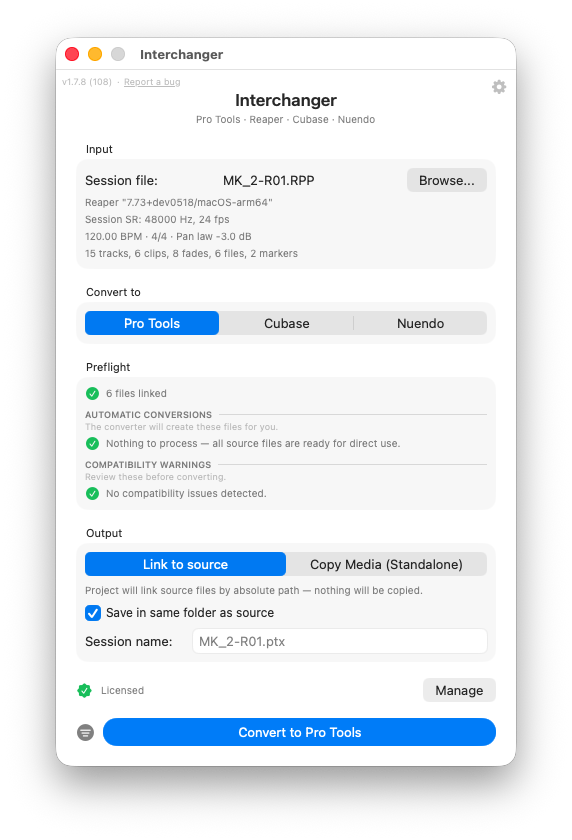
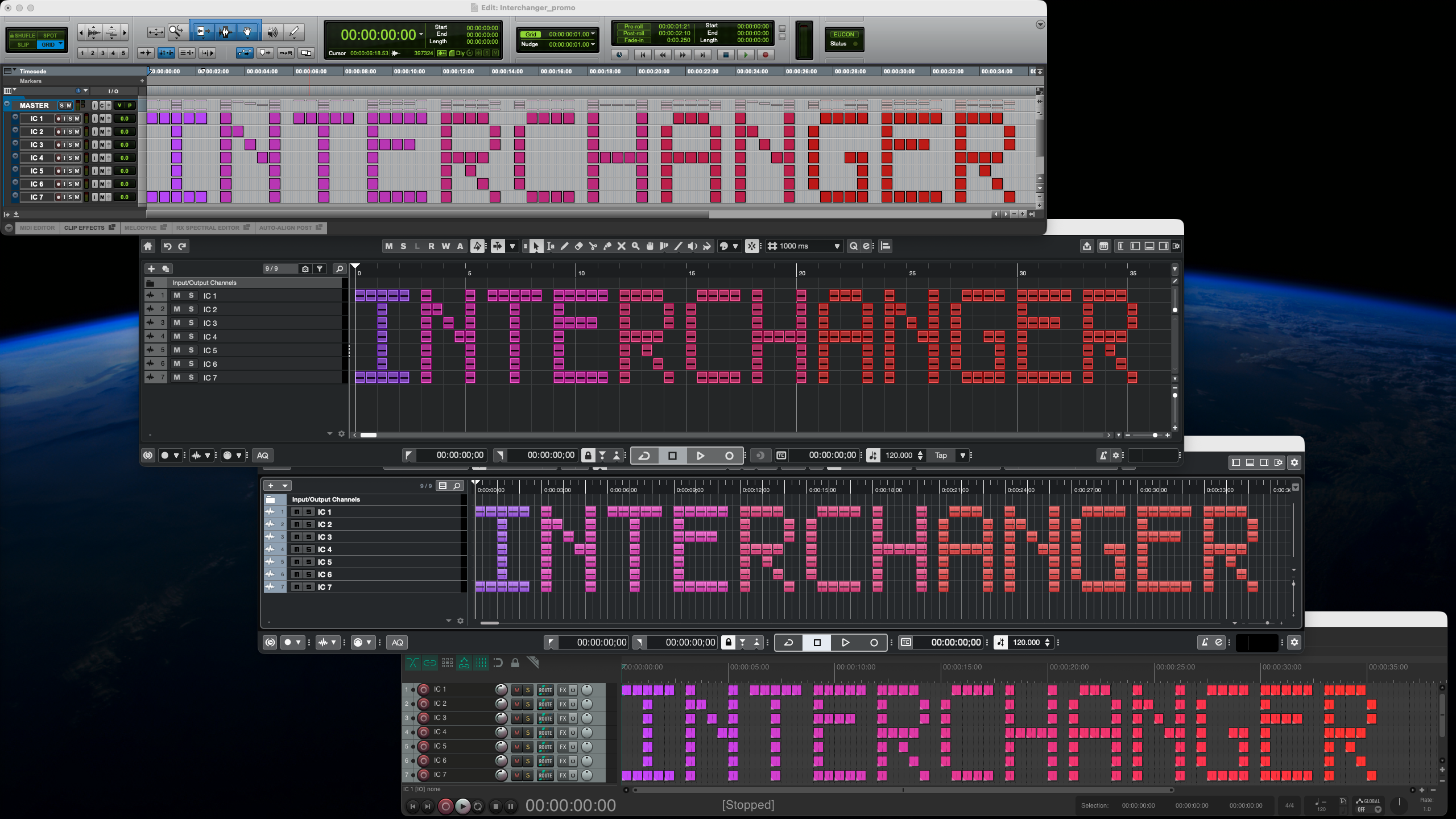
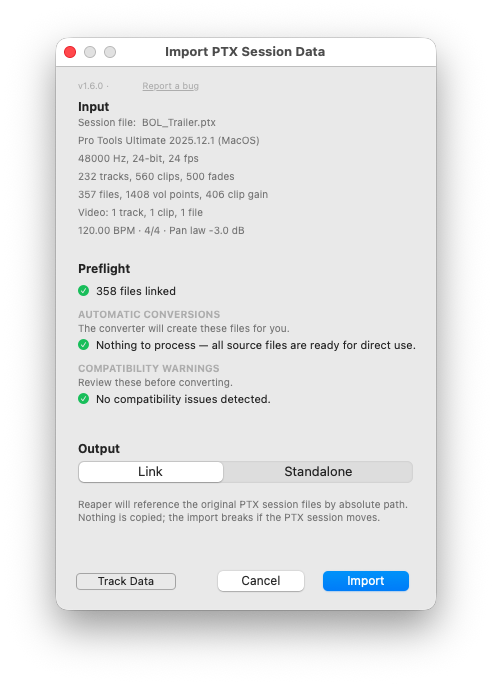
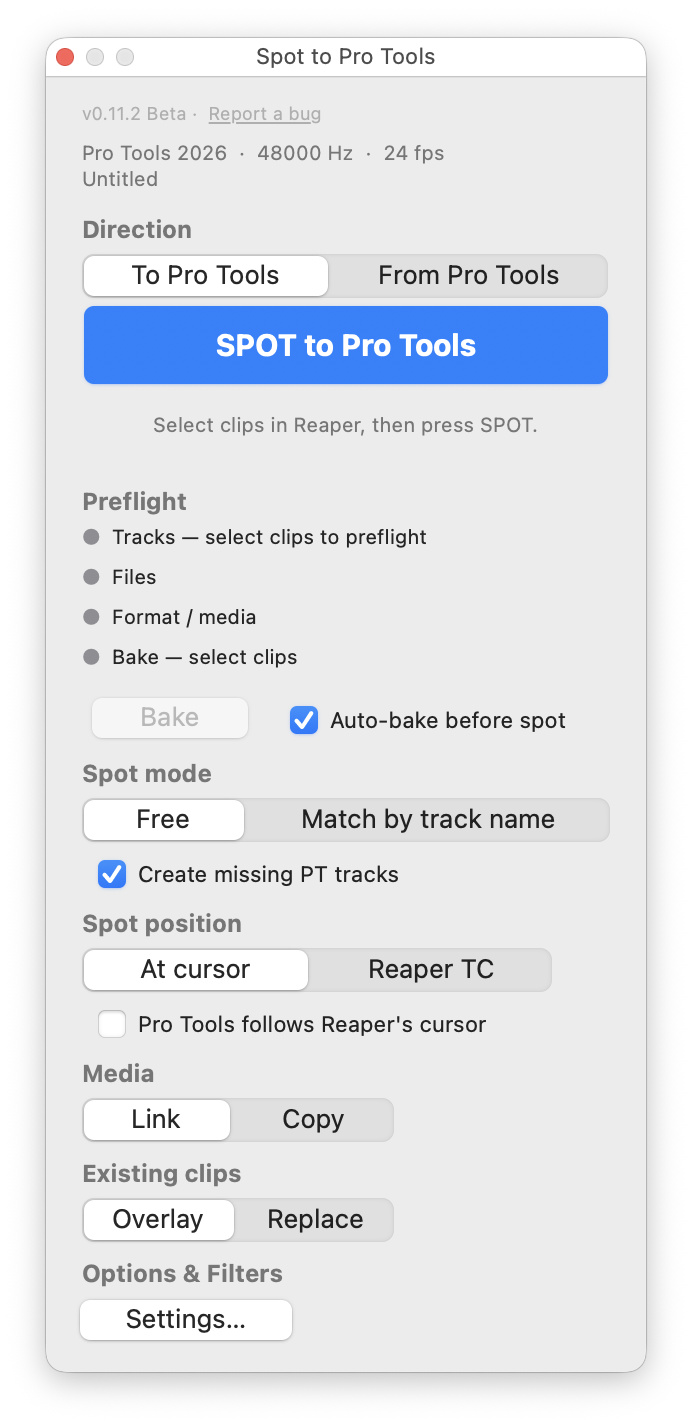
The standalone app converts across Pro Tools, Reaper, Cubase and Nuendo — Preflight, Output mode tabs, Track Data filter. The two bundled Reaper extensions (shortcut Option+Shift+I) — "Spot to & from Pro Tools" spots clips between running Reaper and Pro Tools sessions at timecode, both directions. Click any image to enlarge.
Two Reaper Extensions Included
The standalone app does the whole conversion on its own. The direct DMG also bundles two optional, independent extensions that live inside Reaper — install whichever fits your workflow, or both. (The Mac App Store build is sandboxed and includes neither, and the Windows build does not bundle them yet — the standalone converter there is unaffected.)
Import PTX into Reaper
Open a .ptx straight into Reaper — skip the “export an .rpp from the app, then File → Open” round-trip. Same conversion engine as the standalone app, brought right into your Reaper session.
- Full UI parity — the same Preflight and Output-mode tabs (Link to source / Copy Media) you get in the standalone app, in a dialog inside Reaper.
- Choose exactly what comes in — the Track Data filter (the funnel) toggles automation, playlists, markers, clip gain, colours and more on or off; by default everything is imported.
- Relink built in — if any audio or video moved or is missing, the Preflight’s Relink dialog points it at the right files before import (Match by Name / File-ID / Duration, multi-folder search). The source
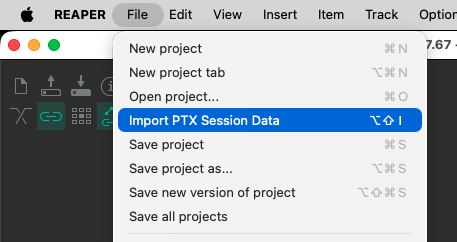
.ptxis never modified. - Adds an action — “Import PTX Session Data…” — to Reaper’s Action list: run it once, bind a keystroke (default Option+Shift+I), or add it to the File / Extensions menu yourself.
- The imported session lands in the current Reaper project, ready to play — tracks, routing, automation and media in place.
Spot to & from Pro Tools
Spot the clips you selected straight into the other running DAW — both ways, Reaper → Pro Tools and Pro Tools → Reaper. Both apps open, no export, no file dialog. Clips arrive carrying their clip gain, volume / pan / surround-panner automation and fades; the destination routing stays untouched.
- Bakes item FX for you — item / take FX, playrate, pitch-shift, stretch and reverse are rendered into the audio before the spot (non-destructive, undoable). Unique to Spot.
- Spot by track name or free placement; create missing destination tracks automatically.
- Land clips at the destination cursor or at their own source timecode to mirror a session.
- Link or copy media; overlay or replace what’s already on the track.
- Live preflight before you commit, and an optional live cursor link between the two apps.
- Default shortcut: the
`key. Requires macOS 15 Sequoia.
How It Works
Open
Click Browse and pick a .ptx, .rpp, .cpr or .npr file. The input format is auto-detected — no Pro Tools, Reaper, Cubase or Nuendo installation required. Then pick the target with Convert to.
Preflight
Review session stats, format incompatibilities and missing audio. Re-link files in place before converting.
Convert
Click Convert. Open the resulting session in the target DAW — tracks, routing, automation and media land where they should.
Alternate takes survive the conversion
Pro Tools Playlists become Reaper Takes & Lanes and Cubase / Nuendo Track Versions & Lanes — and back again.
AAF — the format most converters route through — can't carry them at all: one take per track is its hard limit. Interchanger keeps every version, for audio and MIDI tracks alike — the active one plays, and each inactive alternate arrives with its clips, notes, fades and clip-gain intact.
What Converts — Full Feature Matrix
Any of the four formats converts to any other: Pro Tools ↔ Reaper ↔ Cubase ↔ Nuendo. Tracks, clips, surround panning, automation, routing, MIDI, video and tempo translate without manual cleanup. Hover the i on any row for the implementation detail behind it.
Session & timeline
| Feature | Pro Tools | Reaper | Cubase | Nuendo |
|---|---|---|---|---|
| Session sample rate / bit depthiSession sample rate drives media resampling on every write path. | RW | RW | RW | RW |
| Frame rateiMapped between each DAW's rate tables. | RW | RW | RW | RW |
| Session start timecodeiSession start timecode converts between all three formats, verified against genuine saves. NTSC pull-down rates (23.976 / 29.97 / drop / 59.94) store timecode ×1.001 — Interchanger applies the same law both ways, so positions match frame-exactly. | RW | RW | RW | RW |
| Tempo map (multi-point)iFull map, not just the first tempo. Tempo ramps are now integrated across the whole map (not flattened to a single tempo), and ramp/linear points are preserved where the target supports them. | RW | RW | RW | RW |
| Time signaturesiBar-anchored meter changes. | RW | RW | RW | RW |
| MarkersiNames and positions everywhere; colours PT ↔ Reaper. Musical (Bars|Beats) marker timebase and range/selection markers are now preserved where the target supports them. Through Cubase/Nuendo, marker colour still isn't carried. PT Memory Locations cap at 999. | RW | RW | RW⚠ | RW⚠ |
| Video track + clipsiNow reads and writes video across all four formats, including .cpr/.npr — stable video-pool identity, multi-source binding and active-video-track / playlist switching. One video track in Cubase/Nuendo (extras reported and skipped); offline video keeps its declared path. Video links by absolute path (their pool convention); Standalone + “Copy video files” copies into the bundle. A mixed audio + video Reaper track splits cleanly into separate Video and Audio tracks. | RW | RW | RW⚠ | RW⚠ |
Tracks & mixer
| Feature | Pro Tools | Reaper | Cubase | Nuendo |
|---|---|---|---|---|
| Audio tracks + formatsiUp to 7.1.2. Both targets get genuine 7.1 / 7.0.2 / 7.1.2 bus + panner chains; Cubase 10/11 display height formats as 5.1 (data preserved, native from Cubase Pro 12; Nuendo throughout). | RW | RW | RW⚠ | RW |
| Summing groupsiCubase Group Channels ↔ PT Routing Folders / summing Auxes ↔ Reaper folder buses. Group width taken from the source bus format; routing follows. Cubase/Nuendo Groups also nest the tracks routed to them inside a Reaper folder (Group-into-Group → nested folders). | RW | RW | RW | RW |
| FX-return tracksiSend-fed buses are detected as FX returns; written as Groups until the FX-channel template lands (warned); Cubase FX Channels read back as summing groups. Width = the PT aux's output bus. | RW | RW | RW⚠ | RW⚠ |
| Output buses (surround & hardware)iCreated in Audio Connections with correct widths, main mix selected; ports arrive Not Connected (device names are machine-local). | RW | RW | RW | RW |
| Track sendsiLevel / pan / pre-post / on-off; PT slots A–J, Cubase/Nuendo 8 slots. Reaper track-to-track sends (AUXRECV) convert in both directions. Wider-than-destination sends are dropped with a warning (no downmixer template). | RW | RW | RW | RW |
| Master fader leveliReaper master (incl. automation to PT) → Cubase/Nuendo Output channel level (level only, no automation). | RW | RW | W⚠ | W⚠ |
| Track solo / notesiNotepad ↔ track notes. | RW | RW | RW | RW |
| Track mute / colouriTrack colour — audio and MIDI — maps through the project's Event Colors palette (nearest slot on write, the project's own palette on read); PT ↔ Reaper stay full 24-bit RGB. Track mute transfers on every route. | RW | RW | RW⚠ | RW⚠ |
| Inactive / disabled tracksiCubase/Nuendo disabled tracks supported. Reaper has no “inactive” — arrives muted; optional skip toggles. | RW | ⚠ | RW | RW |
| Hidden tracks | RW | RW | RW | RW |
| Folder (visual-only) tracksiPurely-organizational (non-summing) folder tracks now convert both ways across all four formats — Pro Tools basic folders, Reaper folders and Cubase/Nuendo folder tracks — preserving nesting, open/closed state and folder solo & mute. Summing/routing folders convert separately as Groups (see Summing groups). | RW | RW | RW | RW |
| Plug-ins + plug-in automationiNot transferred in 1.7.8 (engine exists behind a flag; next release line). ReaSurroundPan is interpreted as a panner, not carried as a plug-in. | — | — | — | — |
Clips & fades
| Feature | Pro Tools | Reaper | Cubase | Nuendo |
|---|---|---|---|---|
| Clip position / length / source offsetiSample-accurate positions, lengths and source offsets on every write path, verified against genuine saves. | RW | RW | RW | RW |
| Clip gain: static | RW | RW | RW | RW |
| Clip gain: envelopes | RW | RW | RW | RW |
| Clip mute / names | RW | RW | RW | RW |
| Clip coloursiFull 24-bit RGB between PT and Reaper; Cubase/Nuendo map through the Event Colors palette (nearest of 16 on write, the project's own palette — including customised ones — on read). | RW | RW | RW⚠ | RW⚠ |
| Fade in / out + shapesiFade shapes map between each DAW's shape families, empirically calibrated so curves sound the same on both sides. | RW | RW | RW | RW |
| Crossfades + shapes + midpointiSame-file and cross-file crossfades, verified against genuine saves; written into inactive Track Versions too. | RW | RW | RW | RW |
| Loop-source clipsiReaper loop-source items arrive as their first pass on the Cubase path (loop expansion planned). | RW | RW | —⚠ | —⚠ |
| Playlists / takes / lanes / VersionsiFull triangle: active version = playing content; audio and MIDI; fades and gain on clips inside inactive Versions included. | RW | RW | RW | RW |
Automation & panning
| Feature | Pro Tools | Reaper | Cubase | Nuendo |
|---|---|---|---|---|
| Volume / pan / mute lanesiStereo pan is never written onto a surround-format Cubase track (engine-refused slot). | RW | RW | RW | RW |
| Surround panner: positionsiIndependent L/R channel dots convert to and from the Cubase MultiPanner, calibrated against hand-made references; read back out to ReaSurroundPan / the PT panner. | RW | RW | RW | RW |
| Surround: divergencesiPT Divergence is the opposite scale to MultiPanner's (manual-verified) → inverted; PT Size (7.1.2) maps directly and also drives the Height Divergence. Defaults coincide, so untouched panners stay untouched. | RW | RW | RW | RW |
| Surround: Center % / LFEiLFE in true dB. | RW | RW | RW | RW |
| Height (Z)iCubase 10/11 display height formats as 5.1 (data preserved; native from Cubase Pro 12). | RW | RW | RW⚠ | RW |
| Panner automationiMoving independent dots become synchronised x / y / rotation / width lanes — and read back as moving ReaSurroundPan / PT lanes. | RW | RW | RW | RW |
MIDI
| Feature | Pro Tools | Reaper | Cubase | Nuendo |
|---|---|---|---|---|
| Notes / velocities / durations | RW | RW | RW | RW |
| CC / pitch bend / program change / aftertouch | RW | RW | RW | RW |
| SysExiSysEx timing and payload now travel through the interchange model on the routes that support it — Reaper ↔ Cubase / Nuendo. Writing SysEx into Pro Tools is still on the roadmap. | — | RW⚠ | RW⚠ | RW⚠ |
| Per-track MIDI channeliPT has no per-track channel. | — | RW | RW | RW |
| Clip (part) mute | RW | RW | RW | RW |
| Shared / ghost partsiShared / alias / ghost MIDI now travels as session-level sources: the note payload lives once and placements reference stable IDs, so cross-track, cross-playlist and 3-way sharing is preserved where the target supports it. Pro Tools has no alias concept, so on the PT side shared parts become independent copies. | ⚠ | RW | RW⚠ | RW⚠ |
| MIDI playlists / lanes / VersionsiSame triangle as audio. | RW | RW | RW | RW |
| Instrument tracksiInstrument tracks now stay Instrument tracks between Pro Tools, Cubase and Nuendo (Reaper has no instrument-track type, so they arrive as MIDI tracks there). Note data transfers fully; the virtual instrument itself (VSTi state) is still on the roadmap, and an Instrument track's own colour isn't yet written to Cubase/Nuendo. | RW⚠ | RW | RW⚠ | RW⚠ |
Media handling
| Media | How it converts |
|---|---|
| Split-mono .L/.R pairs | Merged to one interleaved WAV on every write path that needs it (PT keeps split-mono natively). |
| FLAC / OGG / MP3 / WavPack / M4A / AAC / AIFF sources | Decoded to WAV for targets that need it (PT, Cubase/Nuendo); Reaper plays them natively. |
| Sample-rate mismatches | Resampled to the session rate for PT and Cubase/Nuendo targets (Cubase plays mismatched pool files transposed). Reaper needs no resample. |
| Link vs Standalone | Link references media in place by absolute path (multi-folder / multi-disk supported); Standalone builds a self-contained bundle. Offline files keep their paths for relinking; a Relink dialog runs before conversion. |
| RF64 / >4 GB WAV | Supported. |
Containers & compatibility
| Format | How it converts |
|---|---|
| .ptx | Pro Tools sessions from the PT 10/11 era (~2014) through 2026 read (all four format generations); written sessions open in PT 2022.12+ (format-generation aware). |
| .rpp | Reaper 6 / 7. |
| .cpr / .npr — read | Classic RIFF and 64-bit RIF2 (the Cubase/Nuendo 13+ large-project container). |
| .cpr / .npr — write | Classic RIFF — verified opening in Cubase 15 and Nuendo 15. Projects that would exceed the RIFF ceiling (≈1.5 GB) are flagged in preflight. |
On the roadmap
- Plug-ins & plug-in automation — transfer in every direction (engine already exists behind a flag; next release line)
- Virtual instruments on Instrument tracks (MIDI already transfers)
- SysEx over PT/RPP
App & workflow
- One input, auto-detected; a Convert to selector picks the target of the other three formats
- Link to source or Copy Media (Standalone) output modes
- Preflight warnings before converting, re-evaluated when you switch target
- Native Relink dialog — Match by Name / File-ID / Duration, multi-folder search
- Two Reaper extensions in the Mac DMG — Import PTX, and Spot to & from Pro Tools (Beta). Not in the Windows build yet
- 14,550 clips across 174 tracks convert in ~3.5 seconds
Native From Day One
Native on Mac and Windows
No Wine, no CrossOver, no emulation layers. A universal binary on Apple Silicon and Intel, and a native x64 build for Windows 11.
No DAW Required
Reads and writes each project format by parsing the binary directly. Works even if you have never installed Pro Tools, Reaper, Cubase or Nuendo.
Four Formats, One App
Drop in a .ptx, .rpp, .cpr or .npr; pick any of the other three as the target. Audio relinking, MIDI, video files and surround panning all come along.
Supported Formats
Frequently Asked Questions
d3bfe1ce2717d6457ea2e81ed9badac32dd494d8fa5a75e183847ecf2d2968c5 (in PowerShell: Get-FileHash <file> -Algorithm SHA256). If it does not match, do not run the file — tell us instead.Limited-time price. Going up when plug-in conversion ships (almost ready) — buy now and lock it in.
One-time purchase, no subscription. All four formats, every direction, all future updates included.
macOS 14+ (Apple Silicon & Intel) and Windows 11 x64. The Windows build is a release candidate and its installer is not signed yet, so SmartScreen may warn about an unknown publisher.